

Choosing the right coding path can feel overwhelming when you’ve never written a line of code. The good news? A handful of languages are deliberately designed to be gentle on newcomers, offering clear syntax, abundant learning resources, and quick wins that keep motivation high.
Here’s how to find the best programming language for beginners and start building real projects in weeks, not months.
Beginner-friendly programming language is a language that provides clear syntax, instant feedback, and plenty of learning resources for people starting their coding journey.
Key Takeaways
- Python and JavaScript top the list for versatility and community support.
- Block‑based tools like Scratch are perfect for absolute newcomers and kids.
- Pick a language that matches the type of projects you want to create.
- Free online platforms and local coding classes can jump‑start your learning.
- A clear study plan and regular practice beat talent every time.
What makes a language beginner‑friendly?
- Readable syntax: Minimal punctuation and clear English‑like words.
- Immediate feedback: Ability to run small snippets quickly (REPL or browser console).
- Strong community: Lots of tutorials, forums, and open‑source examples.
- Versatile use‑cases: The language should let you build web pages, scripts, or simple games early on.
- Low setup cost: Free IDEs and no expensive hardware requirements.
Top beginner‑friendly programming languages in 2025
Python is a high‑level, interpreted language celebrated for its readable syntax and massive standard library
- Pros: Clean code, huge community, excellent for data, web, automation.
- Cons: Slower execution for heavy graphics; mobile app support less mature.
- Typical first project: a simple “to‑do” app or data‑scraping script.
JavaScript is the language of the web that runs directly in browsers and powers interactive pages
- Pros: No installation needed, instant visual results, huge job market.
- Cons: Quirky type coercion can confuse beginners; asynchronous code has a learning curve.
- Typical first project: an interactive photo gallery or a simple game using HTML canvas.
Scratch is a block‑based visual programming environment created by MIT for teaching core concepts
- Pros: Drag‑and‑drop interface eliminates syntax errors; great for kids and absolute beginners.
- Cons: Not suited for professional software development; transition to text‑based languages needed later.
- Typical first project: an animated story or a simple maze game.
HTML & CSS are the markup and styling languages that form the backbone of every web page
- Pros: Immediate visual feedback; essential foundation for any web developer.
- Cons: Not programming languages per se; no logic or variables.
- Typical first project: a personal portfolio site.
Java is a class‑based, object‑oriented language widely used in enterprise, Android, and large‑scale systems
- Pros: Strong typing enforces good habits; massive ecosystem; Android development.
- Cons: Verbose syntax can feel heavy for tiny scripts.
- Typical first project: a basic Android “Hello World” app.
Ruby is a dynamic language known for its elegant syntax and the Rails web framework
- Pros: Very readable code, friendly community, rapid web prototyping with Rails.
- Cons: Declining job demand compared to Python/JS; slower runtime.
- Typical first project: a simple blog powered by Ruby on Rails.
C# is Microsoft’s modern, type‑safe language used for Windows apps, Unity games, and cloud services
- Pros: Powerful for game development (Unity), strong tooling in Visual Studio.
- Cons: Primarily tied to Microsoft ecosystem; requires Windows or .NET Core setup.
- Typical first project: a 2D Unity game prototype.
Swift is Apple’s fast, safe language for iOS, macOS, and watchOS development
- Pros: Modern syntax, excellent performance on Apple devices, strong job market for iOS apps.
- Cons: Limited to Apple ecosystem; requires macOS for full development.
- Typical first project: a simple iPhone “Hello World” app.
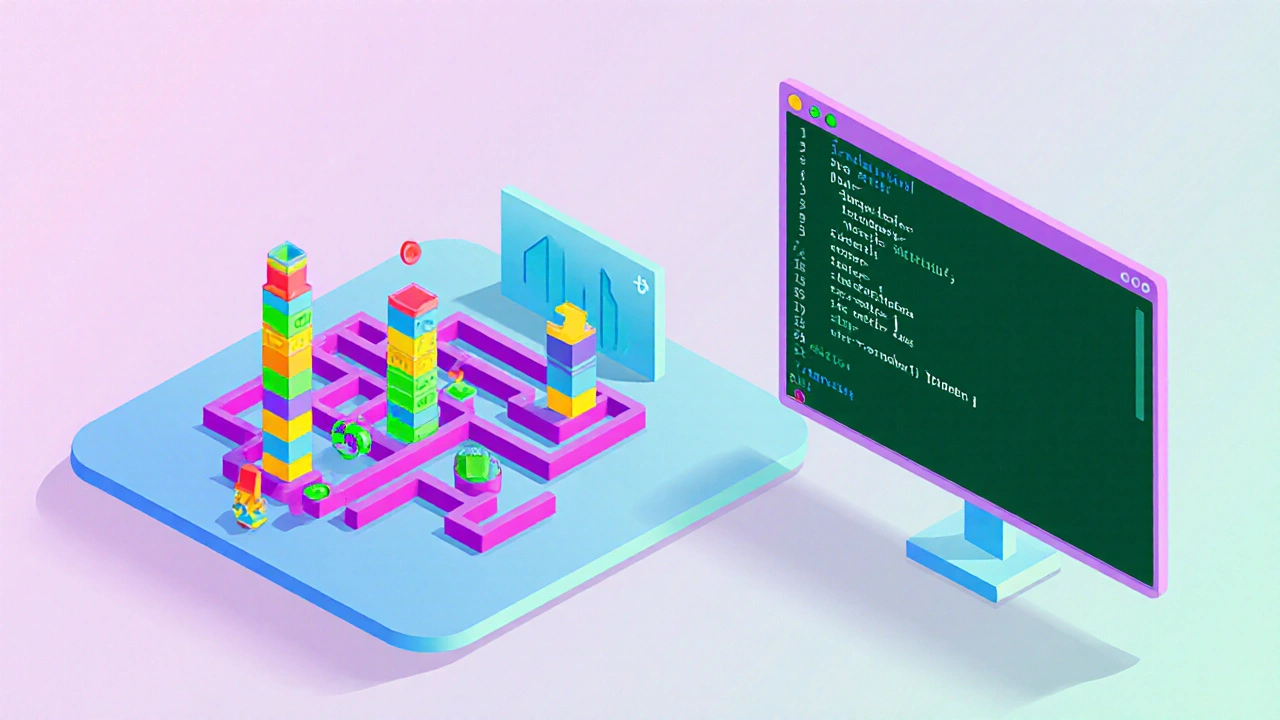
Side‑by‑side comparison
| Language | Paradigm | Typical Use | Learning Curve (1‑5) | Community Support (1‑5) |
|---|---|---|---|---|
| Python | Multi‑paradigm (OOP, procedural) | Web, data, automation | 1 | 5 |
| JavaScript | Event‑driven, functional | Web front‑end, Node.js | 1 | 5 |
| Scratch | Visual block‑based | Education, simple games | 0.5 | 4 |
| HTML & CSS | Markup & styling | Web pages | 0.5 | 5 |
| Java | Object‑oriented | Enterprise, Android | 2 | 4 |
| Ruby | Object‑oriented | Web apps (Rails) | 2 | 3 |
| C# | Object‑oriented | Games (Unity), Windows apps | 2 | 4 |
| Swift | Object‑oriented, protocol‑oriented | iOS/macOS apps | 2 | 3 |
How to choose the right language for your goals
- Define your project type. Want to build websites? JavaScript + HTML/CSS. Interested in data or automation? Python.
- Consider where you’ll work. If you aim for mobile iOS jobs, Swift is the clear path; for Android, Java.
- Look at community resources. Python and JavaScript have thousands of free tutorials, Discord servers, and local meet‑ups.
- Test a quick tutorial. Spend 30 minutes on a “Hello World” in two languages; the one that clicks is likely your best fit.
- Plan a learning schedule. Consistency beats intensity-30 minutes a day beats a 10‑hour weekend binge.
Recommended learning resources and coding classes
- Online platforms: Codecademy, freeCodeCamp, and Coursera all offer beginner tracks for Python and JavaScript at no cost.
- Local classes: In Birmingham, check out B1 Coding Academy and the University of Birmingham’s short courses; they run weekend workshops for absolute beginners.
- Project‑based books: “Automate the Boring Stuff with Python” and “JavaScript & jQuery: Interactive Front‑End Development” are hands‑on and easy to follow.
- YouTube channels: “Corey Schafer” for Python, “The Net Ninja” for JavaScript, and “CS First” for Scratch.
Common pitfalls and how to avoid them
- Skipping fundamentals. Jumping straight into frameworks can leave gaps; master variables, loops, and functions first.
- Copy‑pasting without understanding. Replicate code to see it work, then dissect each line.
- Learning multiple languages simultaneously. Focus on one until you can build a small project, then expand.
- Neglecting practice. Build tiny scripts daily; the habit beats occasional deep dives.
Starter checklist
- Choose a language based on the project you want.
- Install a lightweight IDE (VS Code, PyCharm Community, or Thonny for Python).
- Complete a “Hello World” tutorial.
- Build a simple 2‑page website or a console‑based to‑do list.
- Join a local coding meetup or an online Discord community.
- Schedule 30 minutes of coding practice each day for the next 30 days.
Frequently Asked Questions
Is Python really easier than Java?
Yes. Python’s syntax reads like plain English and requires fewer lines of code for the same task, making it friendlier for beginners.
Can I learn programming without a computer?
For concepts you can start with unplugged activities or mobile apps like “Grasshopper,” but writing and testing code eventually needs a computer.
Should I start with Scratch or jump straight to Python?
If you’ve never coded, Scratch builds logical thinking without worrying about syntax. After a few projects, moving to Python feels natural.
How long does it take to become job‑ready?
Typically 3‑6 months of focused study and portfolio projects can land an entry‑level junior developer role, especially in Python or JavaScript.
Are coding classes worth the money?
A structured class provides mentorship, feedback, and a community, which speeds up learning compared to self‑study alone. Look for courses with hands‑on projects.